Why I use the CLI with Herdr instead of desktop apps and orchestrators
From the archive. Versions and APIs may have moved on since I wrote this.
I've used the Codex, Claude Code and OpenCode desktop apps, and I've tried t3 code. I always go back to the CLI. Herdr lets me see every agent in one place, and it just works.
I've looked at Orca too, but I haven't used it for real work, so I'm leaving it out of the comparison.
What I want
I use Codex, Claude Code and OpenCode. I want to switch between them easily, and I want to see everything that's running without opening three windows.
The desktop apps
Each desktop app only runs its own harness. If I want Codex for one task and Claude Code for the next, I'm in two different apps.
I also found them less reliable than the CLI. I can't point to a specific failure for each one, so I won't make any up.
t3 code
t3 code runs the harnesses for you, but I kept getting random errors. This is one of them:
ProviderAdapterProcessError:
Provider adapter process error
(codex) for thread
10a4d0db-d547-4d69-8c4c-4122dfd0e77b:
thread
01a1066d-03ba-7093-904c-c30ce75dcc4d
already has an active writer at...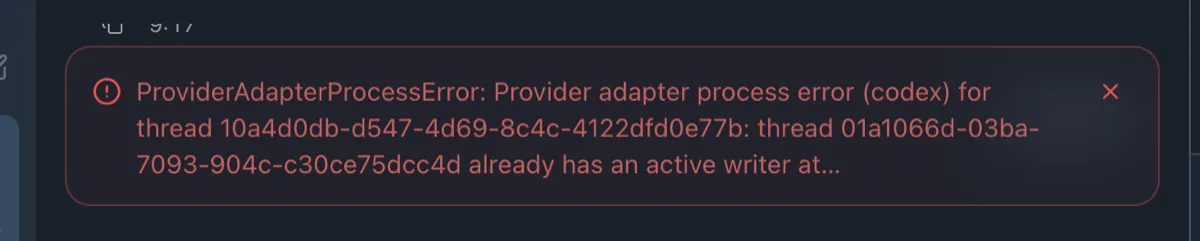
I haven't traced it. My guess is that the CLIs change and t3 code doesn't keep up. Codex, Claude Code and OpenCode all move quickly, and a tool built on top has to follow all three.
The error names a provider adapter, so t3 code is going through a layer between me and the harness:
Herdr just runs the CLIs:
Herdr
I get one view of every agent, and I can start a Codex session next to a Claude Code one without leaving it.
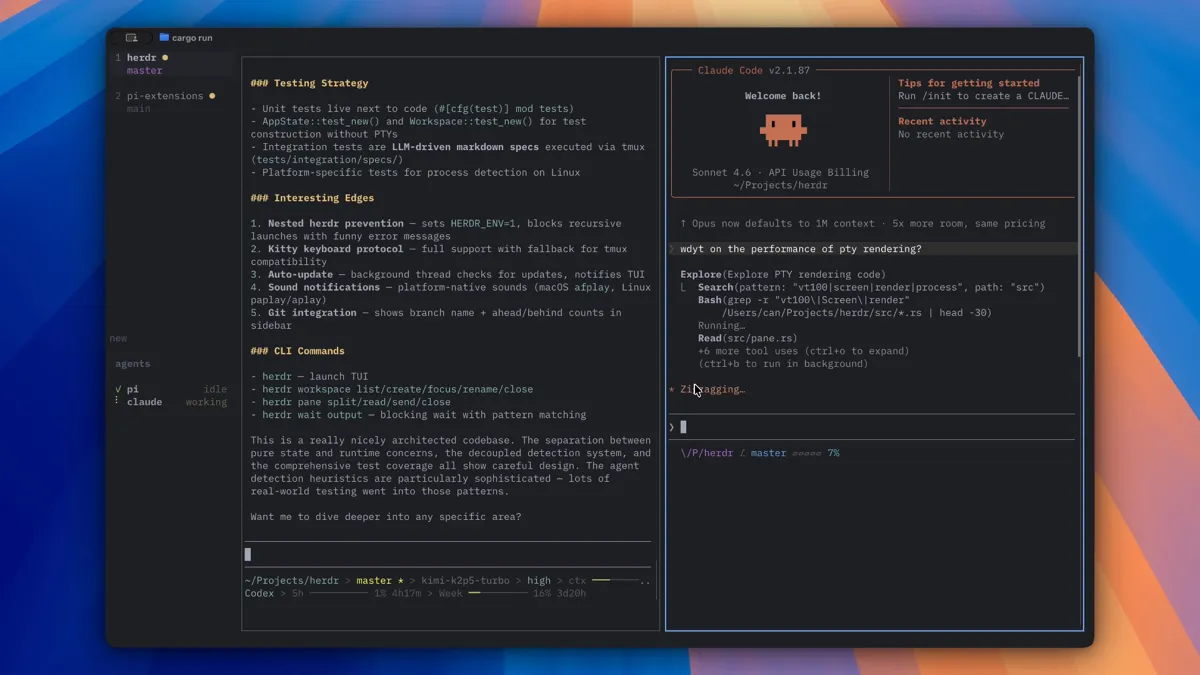
That's Herdr's own screenshot from its GitHub repository, not my setup. It shows the same idea: the agents side by side, with their state in the sidebar.
It runs on the same machine as the agents, so I can reach it over SSH and from my phone. Sessions carry on when I disconnect. That's what makes the setup in moving my coding agents to a VPS work.
What the CLI is worse at
Reviewing diffs is harder in a terminal than in a desktop app. Images and rich output are harder too.